
MapXplorer: Navigation, Radar
Goldlab ProMaps & Navigation
4.61.01K Reviews
- Version
- 153
- Installs
- 10.00M
- Age Rating
- Everyone
Screenshots

Our Review of MapXplorer: Navigation, Radar
 Analysis by Appyee
As someone who's always on the lookout for apps to make life a bit easier, I recently stumbled upon MapXplorer: Navigation, Radar. I’ve got to say, it's one of those apps that you download and wonder how you ever managed without it.
Reading the map at your own pace
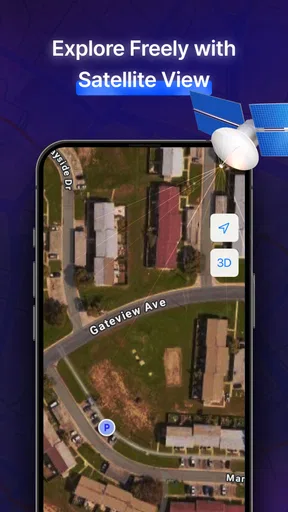
For me, the first question with any navigation app is whether I can understand the screen quickly enough to use it without fuss. MapXplorer’s straightforward layout makes it approachable when I’m planning at home or checking a route before setting off. The satellite view can be useful when a conventional map leaves a place looking like a maze of similar streets, while radar and alerts give the app a different emphasis from a basic map viewer.
That combination is most useful when I treat the map as a planning aid rather than a screen to stare at while moving. I can compare a route with the surrounding area, get my bearings, and decide where I need to pay attention before I travel. If I’m walking somewhere unfamiliar, I’d check the destination and nearby landmarks in advance, then keep the phone away while crossing roads. A map can support good decisions, but it cannot make a busy street safe to navigate by looking down.
MapXplorer is a free maps and navigation app from Goldlab Pro. It has reached over ten million installs, with an average rating of 3.2 from around twenty-four thousand ratings. That mix suggests a widely tried app whose experience may not satisfy everyone equally. I’d use it as a practical option to test against my own routes and habits, rather than assume that popularity alone means it will suit me.
First Impressions: A Smooth Journey Begins
From the moment I opened MapXplorer: Navigation, Radar, I was greeted with a clean and intuitive interface. You know that feeling when you get into a car, and the seat and steering wheel are just perfect? That’s how it felt navigating through this app. The layout is straightforward, making it a breeze to hop into your first adventure without a hitch.
One of the standout features right off the bat is the search functionality. It’s fast, accurate, and seems to anticipate what you’re looking for, which is a massive time-saver. Whether you’re searching for a trendy café downtown or a hidden hiking trail, the app has you covered.
A World of Features at Your Fingertips
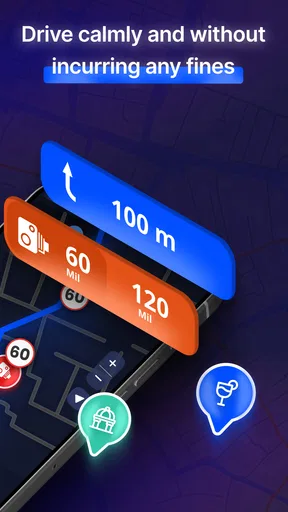
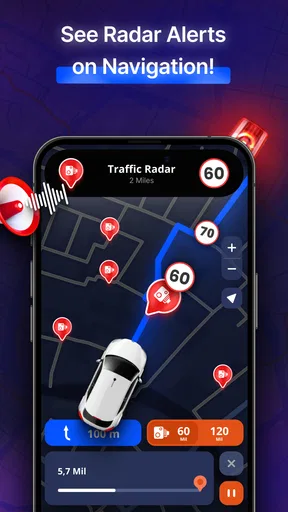
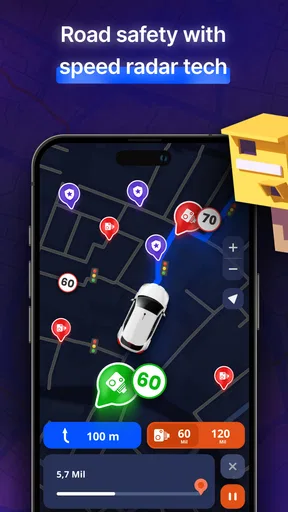
Diving deeper into the app, you quickly realize that it’s packed with features. The real-time radar is a game-changer for anyone who’s on the road a lot. It alerts you to traffic conditions, roadblocks, and even speed cameras. I found this particularly handy when navigating through some of the more congested parts of the city.
Another feature that caught my eye is the customizable navigation settings. You can tailor everything from the voice that guides you to the type of routes you prefer, whether you’re looking to avoid highways or want the most scenic drive possible. It’s like having a personal navigator who knows exactly how you like to travel.
How I’d use alerts without letting them take over
Alerts can be helpful, but I see them as prompts to check the road situation, not as a substitute for judgment. A busy route is a good place to have a passenger glance at the map or to review it while parked. I would not rely on a radar notification to decide whether a manoeuvre is safe, and I would never adjust settings while driving. That small bit of preparation makes the feature more useful and less distracting.
The voice and route preferences described in the app can matter for different reasons. A driver who dislikes motorways may want a different route choice from someone trying to keep a commute simple. Before a longer trip, I’d set those preferences while stationary and preview the result. If the suggested way looks unsuitable, comparing it with another navigation app is sensible; a preferred route is not automatically the best one for every road condition.
Exploring the Terrain: Maps that Come Alive
The map detail is impressive. It’s like having a digital atlas in your pocket. The interactive maps are not only visually appealing but also incredibly functional. You can zoom in and out smoothly, and the level of detail is astounding. For someone who loves to explore new places, this is a huge plus.
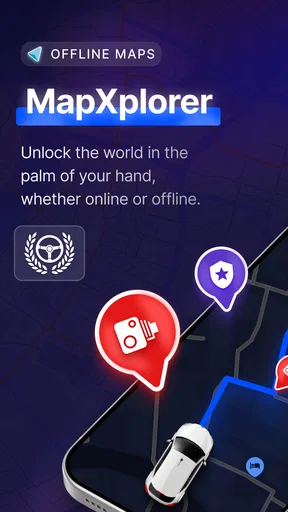
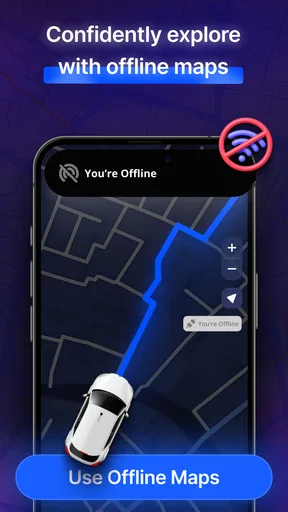
What’s even better is the offline map feature. We’ve all been in those situations where our signal drops, and suddenly we’re lost in a sea of confusion. With MapXplorer, you can download maps for offline use, ensuring that you’re never without direction.
Offline preparation and the limits of a saved map
Offline maps are especially valuable when I know I’ll pass through a patchy-coverage area, but downloading one is only the first step. I’d save the relevant area while connected, then open it before leaving to make sure the map is available for the place I actually plan to visit. For a trip with several stops, I’d check the whole corridor rather than assume that a download for the destination covers every turn along the way.
The trade-off is that offline access should not be confused with live information. A saved map can help me keep my bearings when the connection drops, while real-time alerts depend on information arriving as I travel. I’d plan for that distinction instead of expecting every online feature to behave identically without a signal. If turn-by-turn guidance is essential for a remote drive, I’d verify the route and keep a second navigation option or a written destination in mind.
Motor and sensory considerations
Navigation apps can demand more attention and precise tapping than some people find comfortable. A larger screen may make the map easier to inspect, but it does not remove the need to avoid handling a phone while driving. I’d set a destination and any route preferences before moving, keep the device securely positioned, and use spoken guidance where it works well for me. Anyone who finds audio distracting can prepare by reviewing the map while parked instead.
Satellite imagery and a conventional map view serve different needs: one may help me recognise a building or landscape, while the other can make roads and turns easier to follow. Switching views before departure can help identify which is clearer for a particular journey. Bright sunlight, small text, glare, and noisy surroundings can all make a screen or spoken prompt harder to use, so I would not assume one display style will be comfortable in every setting.
Getting Social: Share and Discover
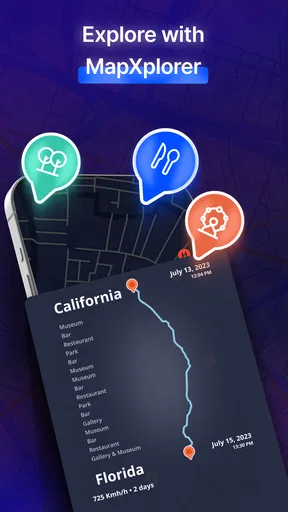
MapXplorer isn’t just about maps and directions—it’s also a social experience. You can share your routes and favorite spots with friends, making it easy to plan trips together or share that hidden gem you discovered last weekend. The community aspect adds a fun layer to your typical navigation app.
There’s even a feature to rate and review places you visit, which helps other users make informed decisions. It’s like having a little travel community right in your pocket.
A realistic day-to-day test
Imagine I’m meeting a friend at a café in an unfamiliar part of town after work. I’d search for the place before leaving, use the map view to understand the surrounding streets, and check whether the route fits my preference. If I expect to lose signal on the way, I’d download the relevant map first. Sharing the route or a saved place could help my friend coordinate, while a quick look at local reviews might offer context about the destination.
That workflow also shows where the app may not be the best fit. If I need a highly predictable commute with traffic information I already trust, my usual navigation app may be the safer choice. If I’m exploring on foot and need detailed local guidance, I’d compare the map itself rather than assume a driving-focused route is suitable. MapXplorer’s range of map styles and alerts is appealing, but the best choice depends on the journey, not the number of features on the screen.
Who is likely to get the most from it?
I can see MapXplorer working well for someone who wants offline maps, likes checking satellite imagery, and values having radar-style alerts alongside navigation. It may also suit casual explorers who want to look around an area before setting out and share a route or place with friends. The combination gives it a broader feel than a bare-bones map, especially when planning is as important as the trip itself.
I’d be more cautious if I relied on navigation for work, travel in unfamiliar areas every day, or needed a consistent accessibility setup across every screen and interaction. In those situations, I’d test it on a familiar route first and compare how clearly it presents turns, alerts, and map details with an established alternative. The app is free to start, but it includes in-app purchases ranging from $6.99 to $69.99 per item, so I’d check what any paid option offers before spending money.
What to check before making it your main map
The practical questions are simple: can I find the places I need, can I prepare an offline map for the whole route, and do the alerts and route choices feel useful rather than noisy? I’d answer them with a short test drive on a familiar journey, ideally with a passenger or while parked for the initial setup. That makes it easier to notice whether the interface, map style, and prompts suit my habits before I depend on them somewhere unfamiliar.
MapXplorer is rated for Everyone, and its current version is 109, with Android support starting at version 6.0. Those details make it relevant to a broad range of users and older compatible devices, but they do not guarantee that every person will find the controls or sensory presentation comfortable. If legibility, hearing, dexterity, or low-distraction use is a priority, I’d test those specific tasks myself rather than rely on a general age rating.
Wrapping Up: A Must-Have for Travelers and Commuters
In conclusion, MapXplorer: Navigation, Radar has quickly become a staple on my phone. Its combination of user-friendly features, detailed maps, and real-time updates make it an indispensable tool whether you’re commuting to work or exploring new horizons.
So, if you’re in the market for a navigation app that goes above and beyond, give MapXplorer a try. It’s like having a trusty co-pilot on every journey, big or small. Safe travels!
My inclusive verdict
My overall view is that MapXplorer is worth trying if its mix of offline mapping, satellite view, navigation and alerts matches the way you travel. I like the idea of being able to prepare before a journey and keep a map available where coverage may be unreliable. At the same time, the modest average rating and the possibility of paid items are reasons to judge it by a real test, not by its feature list alone.
For occasional trips and exploratory planning, I’d give it a fair chance. For high-stakes directions, challenging sensory conditions, or a need for especially dependable guidance, I’d keep a familiar alternative available until I know how it behaves for me. The most inclusive approach is practical: set up the route in advance, choose the view and guidance style that you can comfortably follow, and do not depend on a phone interaction that feels difficult or distracting.
Privacy and Permissions
See what permissions an app requests and how it handles your data.
- Location
- approximate location (network-based), precise location (GPS and network-based), access extra location provider commands
- Camera
- take pictures and videos
- Other
- view network connections, full network access, run at startup, prevent device from sleeping, Google Play license check, read Google service configuration
Verdict
Strengths of MapXplorer: Navigation, Radar
- Intuitive interface for seamless navigation.
- Accurate real-time traffic updates.
- Offline maps available for remote areas.
- Customizable route planning options.
- Integration with popular music apps.
Limitations of MapXplorer: Navigation, Radar
- Heavy battery usage during long trips.
- Occasional GPS signal loss in dense areas.
- Limited language options for voice guidance.
- In-app ads can be intrusive at times.
- Requires frequent updates for accuracy.
Other Releases by Goldlab Pro
View All
Plant Care - AI Identifier
Education3.9
Similar Picks in This Category
View All
Uber - Request a ride
Uber Technologies, Inc.4.7


inDrive. Rides with fair fares
® SUOL INNOVATIONS LTD4.8

Yandex Go: Taxi Food Delivery
Mikromobilnost LLC Belgrade4.8

Bolt: Request a Ride
Bolt Technology4.8

Rapido: Bike-Taxi, Auto & Cabs
Rapido Bike Taxi4.8
You May Also Like
View All
Frequently Asked Questions
What features does MapXplorer offer for navigation?
MapXplorer provides a comprehensive suite of navigation tools, including turn-by-turn directions, real-time traffic updates, and offline maps. Users can explore detailed route options and utilize voice-guided navigation to ensure a seamless travel experience. The app also features a radar to alert users of nearby points of interest.
How does the radar feature in MapXplorer work?
The radar feature in MapXplorer detects nearby points of interest such as restaurants, gas stations, and landmarks. This tool provides users with real-time information on these locations, enhancing their travel experience by making it easy to discover new places along their route.
Can MapXplorer be used offline?
Yes, MapXplorer allows users to download maps for offline use. This feature is particularly beneficial for travelers in areas with limited or no internet connectivity, ensuring that navigation services remain uninterrupted even in remote locations.
Is MapXplorer compatible with both Android and iOS devices?
MapXplorer is available for both Android and iOS platforms, ensuring a wide range of compatibility for users. The app is optimized for a seamless experience on smartphones and tablets, providing consistent functionality across different operating systems.
Does MapXplorer offer real-time traffic updates?
MapXplorer includes real-time traffic updates to help users avoid congestion and reach their destinations more efficiently. The app analyzes current traffic conditions and suggests alternative routes to save time, making it an ideal choice for daily commuters and travelers alike.
